

Between May 7 and 9, 2019, in Mountain View, California, USA, at Shoreline Amphitheatre, one of the world’s largest Technology and Innovation events took place: Google I/O 2019.
I/O is an event created by Google to talk about all the latest developments in its products and services, sharing updates and pointing to the paths the company sees for the future of technology.
Google I/O and SEO
In short, in this post we will discuss the paths that Google is pointing to for its Search today and in the near future. So we have to note that:
- Today’s Search is mobile and rendered by mobile agents!
- More modern JavaScript sites are welcome.
- Large, high-quality images will generate increasing impact.
- Users love large, high-quality images. You will be able to show yours in Search.
But first, let’s talk about something I have been seeing while researching and applying it in projects for quite some time:
Structured Data
Every site is made of data. Your texts, your images, charts, videos are, for search engines, data. The problem is that what is very simple for a human being to understand (the relationship between an image, a text, and a video) is almost impossible for a computer. This is where structured markup of your data comes into play!
What we call Structured data is nothing more than using a markup language, something similar to HTML or JavaScript, which helps search engine computers understand your search content, your data.
If you execute this strategy correctly, you gain an advantage over the competition because it helps search engines understand the meaning of your data.
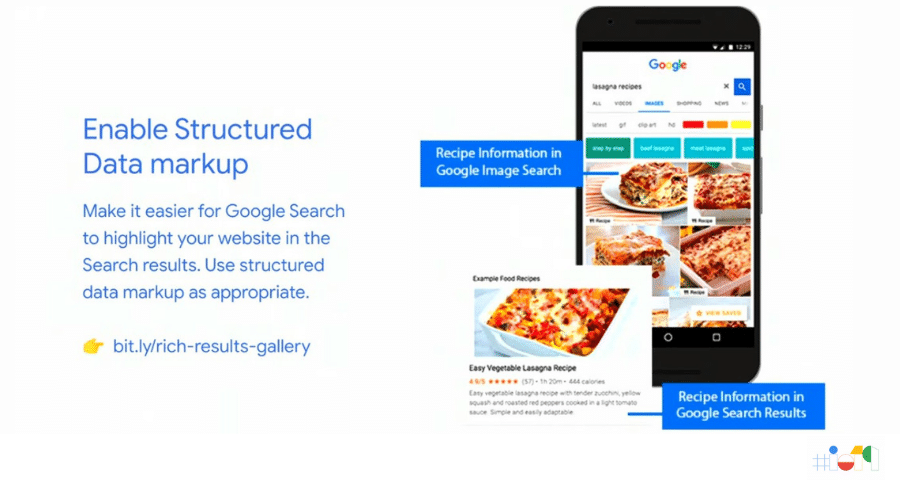
By using code that structures your data on your site, you create semantic relationships that demonstrate meaning between entities, making it easier for Google (the search engine that best leverages this markup) to highlight your site in different ways in Search results.
In the image above, we see the result for a recipe, presenting the images and the recipe steps directly in the SERP (results page).
But how do you do this? How do you use this markup in your project now?
You have two options:
- Hire me as an SEO Analyst for your project;
- Use Google Search Console to experiment with this functionality.
Google has become increasingly better at extracting only the most relevant facts from sites across the web. These facts can now be consumed directly in a Search result.
Google easily turns data into rich visual experiences that are more attractive to users. This creates a problem for site creators: Search results are increasingly closed in on themselves.
Thus, Google ceases to be a search engine and becomes an end-to-end closed platform, capable of taking a user from A to B without the need for intermediate steps or sites. One way to work around this is to make your site a constant source of relevant facts, with well-structured content and a well-built semantic vocabulary of terms.
Search Console: use it!
Google Console is the new name for a tool widely used by SEO professionals worldwide.
It is the tool created by Google to help us track the results of our work, specialized in certain aspects that make a site appear well in Search.
There are tools that can help you optimize your projects or your clients’ projects by structuring data with the help of Search Console.
Test, run your experiments, and use Google Search Console to create structured data. This was a very clear recommendation from the engineers at Google I/O 2019!
The World of Search in 2019
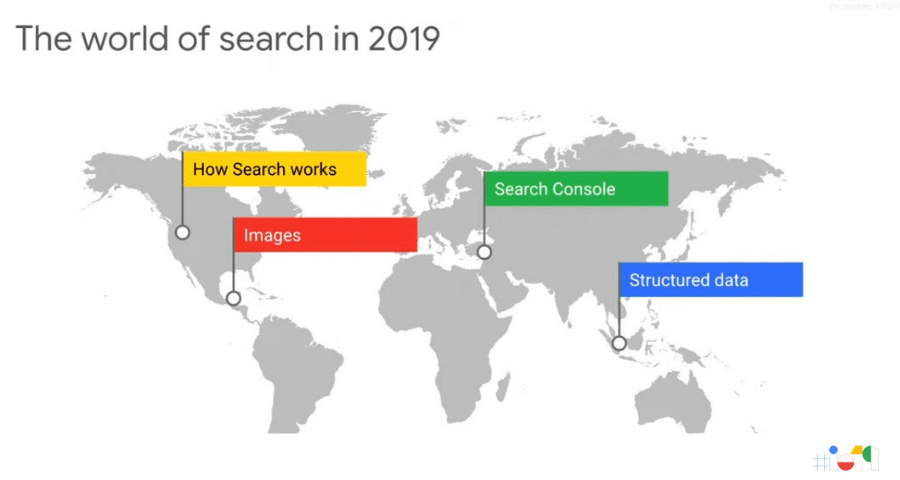
In 2019, we must, once and for all, abandon old practices that worked in the past but no longer make sense.
If you still work with a keyword-based mindset, simply stop! The world of Search in 2019 is fully semantic and is divided into these four topics:
- How Search works;
- Images and Videos;
- Structured Data;
- SEO Management Tool.
Therefore, let’s understand…
How does Google work?
Basically, Google is a tool that navigates the entire internet looking for new content. To do this, it uses a browser like the one you are using now. It accesses the internet using the latest version of Chrome to find pages and sites.
It does this by looking for clues that lead it to our addresses that can answer the questions we type into its Search box. It works more or less like this:
It scans the internet from time to time (an extremely specialized and complex program does this automatically), looking for links on sites it already knows that point to new pages. But this creates a problem:
What if your site, which is brand new, has no links pointing to it?
This is where the importance of data markup and the use of Google Console comes in, which I will explain a bit better later.
But first we need to understand an important element:
What is a website?
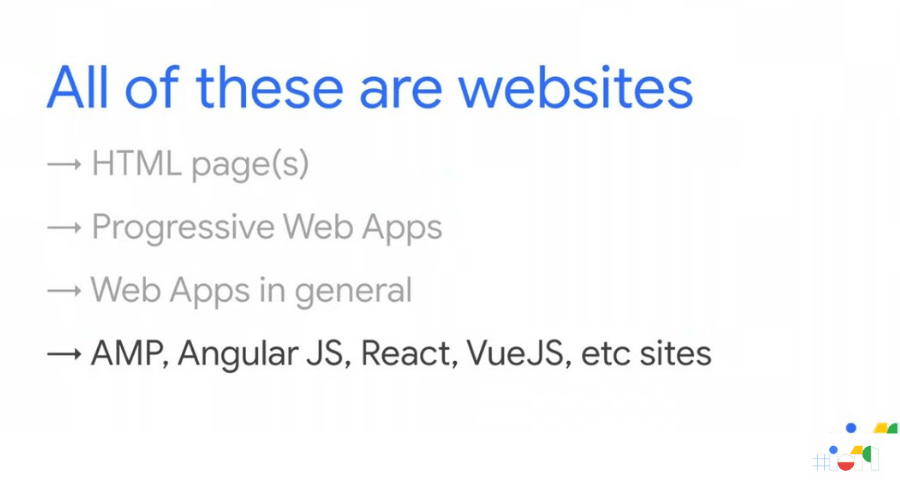
A site is composed of many things, and sites today are built in many different ways: HTML pages, PWA (Progressive Web Apps), Web Apps of all kinds, and new technologies such as AMP (Accelerated Mobile Pages), and frameworks such as React (used by Facebook and Uber to develop projects).
But what are sites to search engines?
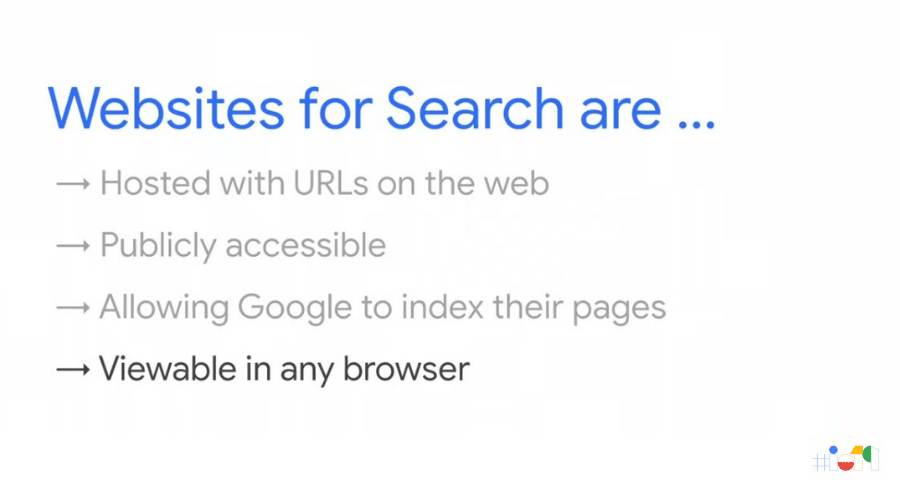
They are all these types of projects hosted on a server and that have a URL on the Web, are publicly accessible, which allows the Google bot to find them and index their pages, and that can be viewed in any modern browser.
How is my site found by Google?
Let Google know your site exists
As I mentioned earlier, Google scans the internet looking for updates to sites it already knows and for new sites.
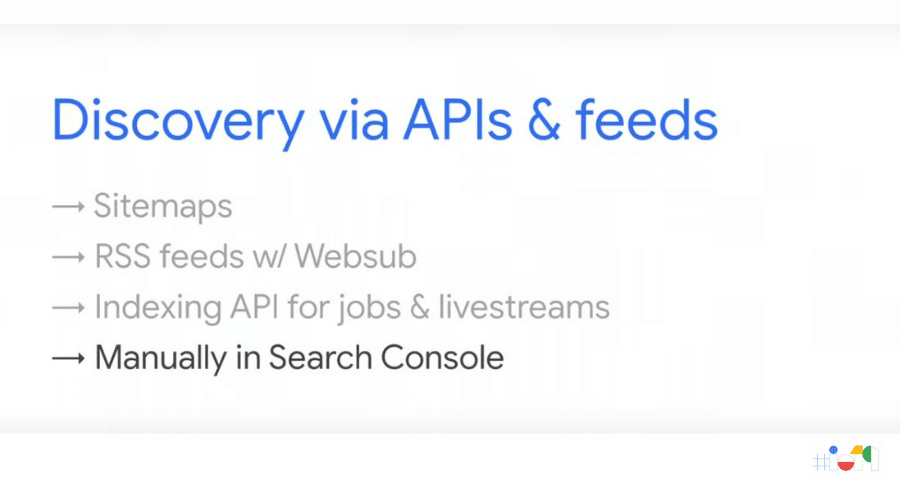
But you can notify this bot that your pages have been updated or that you have created a new site. To do this, you need to let Google know your project exists!
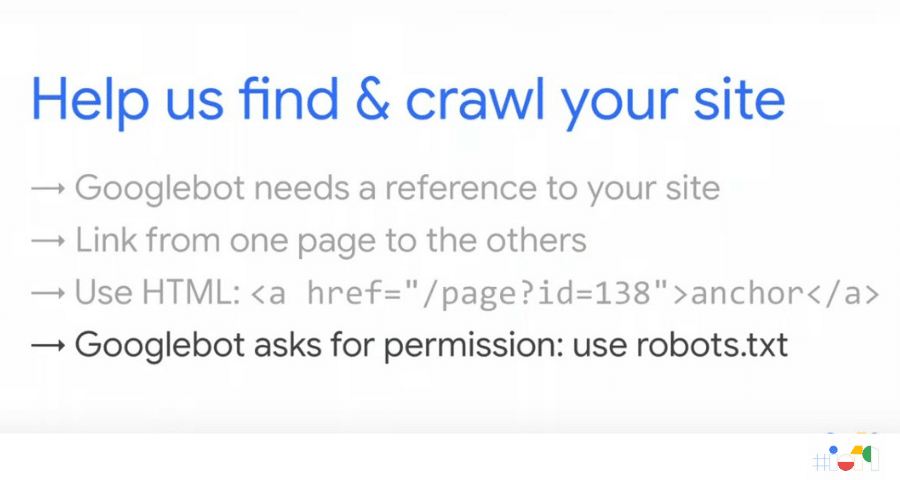
NHelp us find and crawl your site.
Martin Splitt – Developer Relations at Google
This phrase was said at Google I/O 2019 and should be taken seriously by site owners and professionals who manage sites. And for that, Google put into practice a long-standing request from developers and SEO professionals:
Now Googlebot always uses the latest version of Chrome!
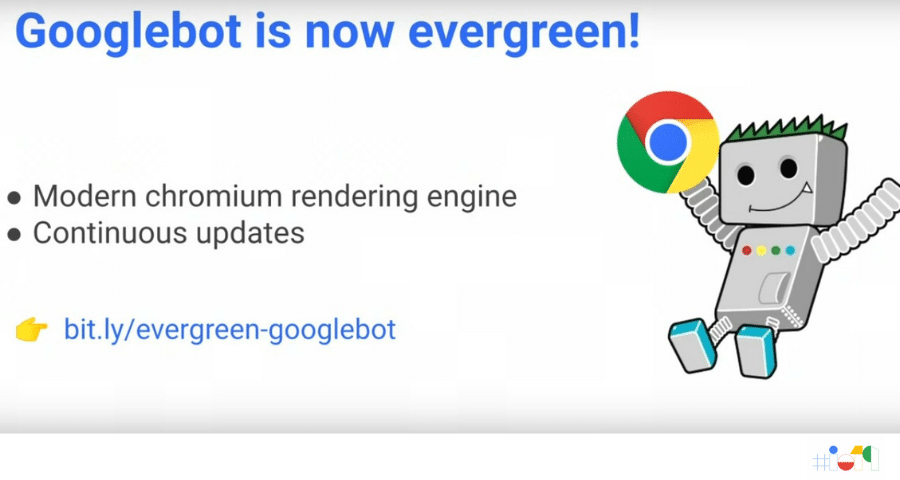
Google, as I said earlier, uses the browser you use to access the internet to go through new sites and pages (or something like that). What happened until last week was that users used the most up-to-date version of Chrome, and Google used another, outdated one.
This happened due to compatibility with older technologies, but they managed to solve this problem, and now all sites will be crawled by the most up-to-date versions, making you, me, and Google see all new technologies in the same way.
A practical tip
Use the Search Console tools to let Google know your site is up to date. The tip is to create a sitemap.xml with the entire structure of your site and use the “Sitemaps” tool to upload this file.
A simple step that makes Google see your project, crawling and ranking what you created.
Wait! Google takes a little while to “crawl” your site
Bots & SEO
And how does Google’s bot behave when your project is more advanced, for example, built in JavaScript?
But first, let’s see the difference between the two types of site, from the Googlebot point of view!
Static sites:
- Work without JavaScript and have content in HTML;
- Indexed quickly.
Dynamic sites (client-side):
- Require JavaScript and an app shell in HTML;
- Indexed and then rendered.
A warning: sites that are rendered (“assembled”) directly on the user’s device—client-side sites based on JavaScript—will only hurt your SEO if they are crawled by search engines that do not support this technology.
Which is no longer the case with Google.
In summary:
Google’s bot now ALWAYS uses the latest version of Chrome, which makes rendering and crawling better for JavaScript-based sites. (server-side vs client-side)
But do you need to worry about this change?
There is no need to worry. Tests were carried out for months on end, and the results we have show that the implementation was done well and is working perfectly.
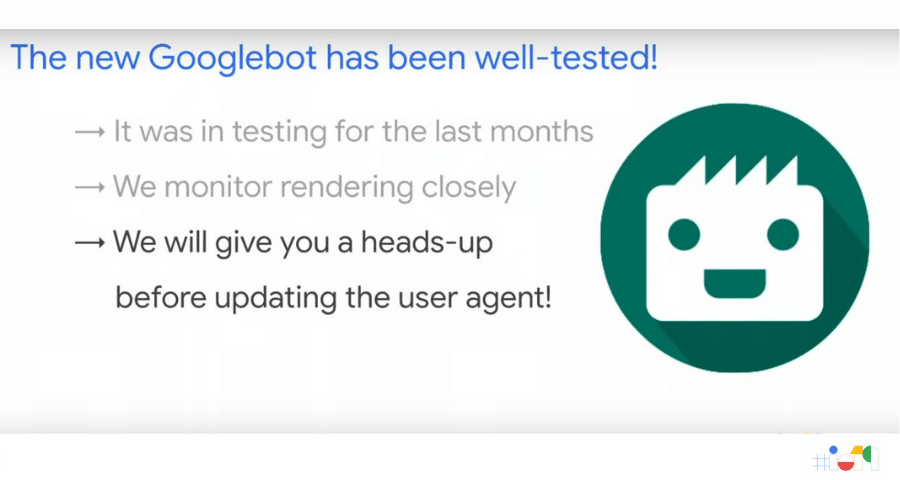
But stay on top of it, keep yourself informed, and monitor your project in case any significant drop occurs. Google engineers promised to notify the community quickly with each update. In those moments, keep an eye on the statistics.
The world is mobile, and Google is too
Mobile-first index!!
Mobile phones are used more than computers to access the internet in Brazil; one in five Brazilian households has internet access without having a computer.
According to the survey by the Brazilian Internet Steering Committee, CGI.br, almost half of Brazilians who access the internet do so on a mobile phone. Anyone who follows their Analytics for their site has seen smartphone access soar in recent years.
If, on your site, mobile access is not in first place, you may have a site that does not work on mobile phones. And that is a big problem, because Google is mobile-first.
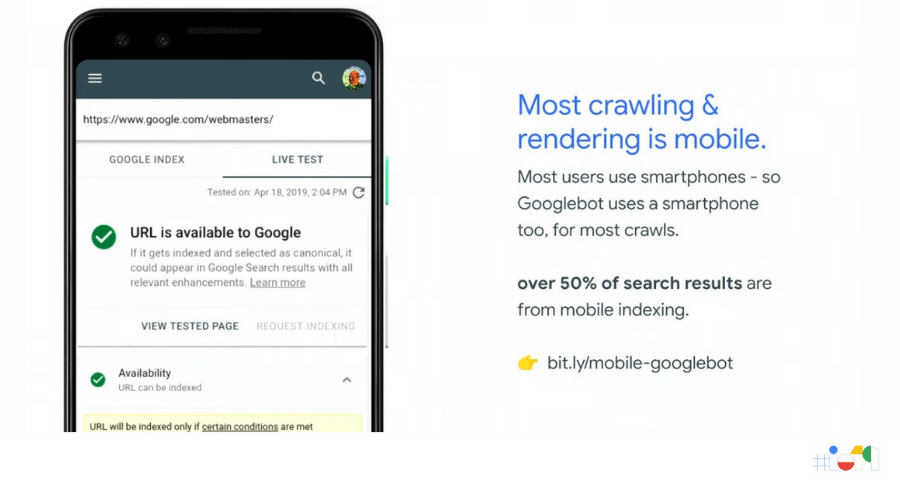
More than 50% of Search results come from the mobile index. And if your site does not work, load, and display perfectly on mobile phones, stop reading this post now and go to Google Search Console and analyze your site.
Another tip is Test My Site, where you will get a complete test of your site with tips on what to fix.
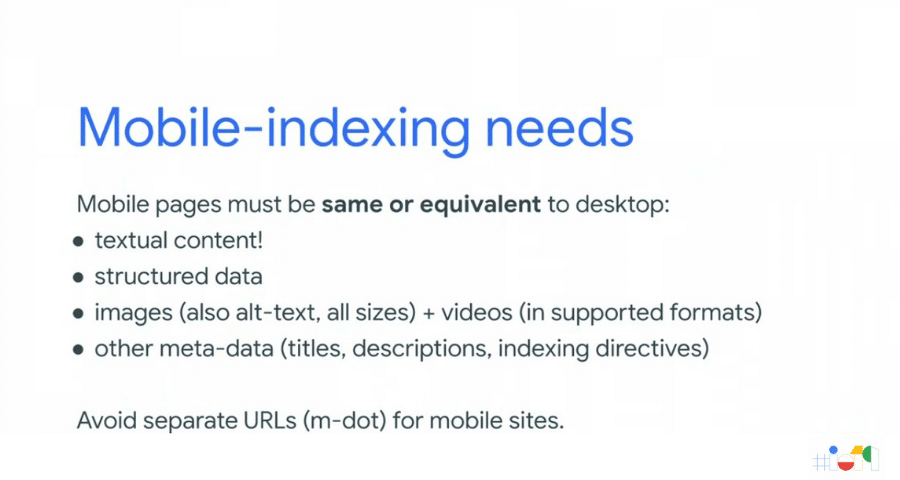
But in summary, what your site needs to be well indexed by Google Mobile is:
- Text content;
- Structured data;
- Images with alt-text filled in, in multiple sizes;
- Videos in supported formats;
- The already known meta-data: titles, descriptions, description directives, etc.
And avoid using the old strategy of a separate URL for mobile. Have a full site that works well on mobile instead of a mobile.meusite.com.
Text is nice, but images are great opportunities
This is a note to myself. Those who come from text, like me, tend to put a lot of text on sites. Text is nice, but a site needs balance.
Images, videos, charts, text—everything measured by a single fact: your user!
A tip
Each page on your site should focus on one topic. If you need to move away from it, consider creating a new page.
Another tip
Increment each page little by little; you do not need a super page, mega-optimized at the launch of the site. It is better to launch with the minimum necessary than to never go live.
See in the image below the example of the items in HTML that appear in Search, in case you do not already know.
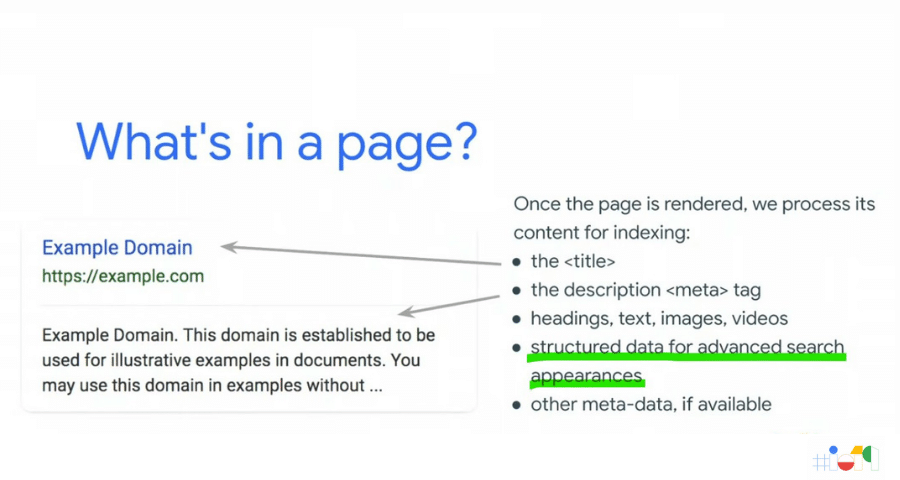
SEO FOR IMAGES
The Basics
How do you make images sources of access? How do you make the images on your site appear in results, both on the web and on mobile?
The basic work is simple:
- High-quality images;
- Sizes above 1200 px are recommended by Google;
- Use a file name that is relevant to the image topic;
- Fill in the alt-text and description tags.
With these basic precautions, you already greatly increase the chance that your images will become sources of access to your site.
But you can do more—much more—with some extra work.
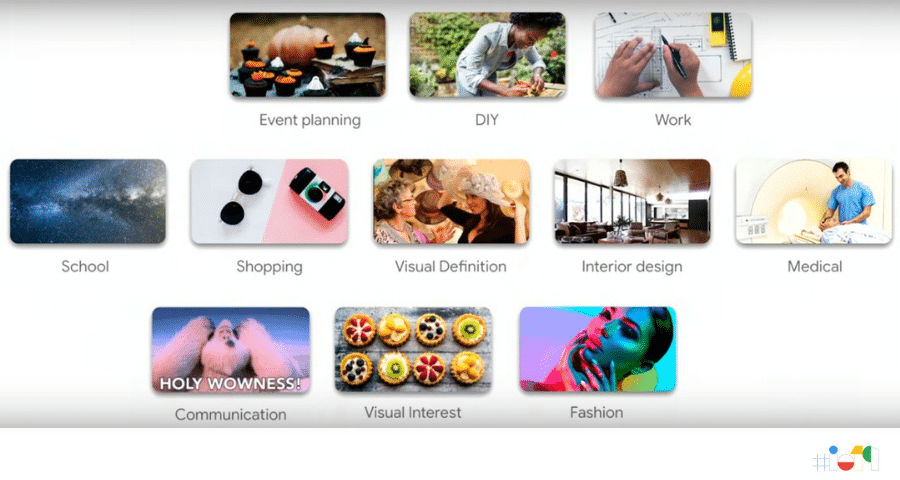
Advanced
Image search, especially Google’s, is increasingly intelligent. Nowadays it shows results with much more context.
That is why Google gave these recommendations:
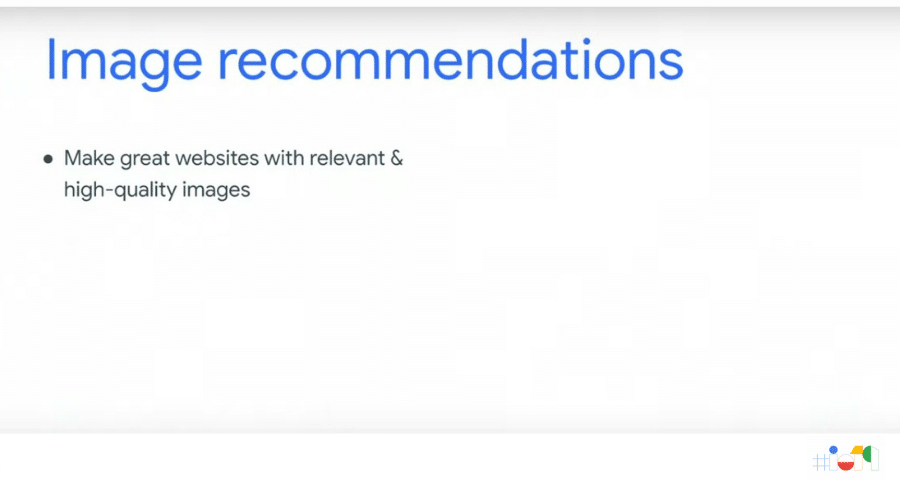
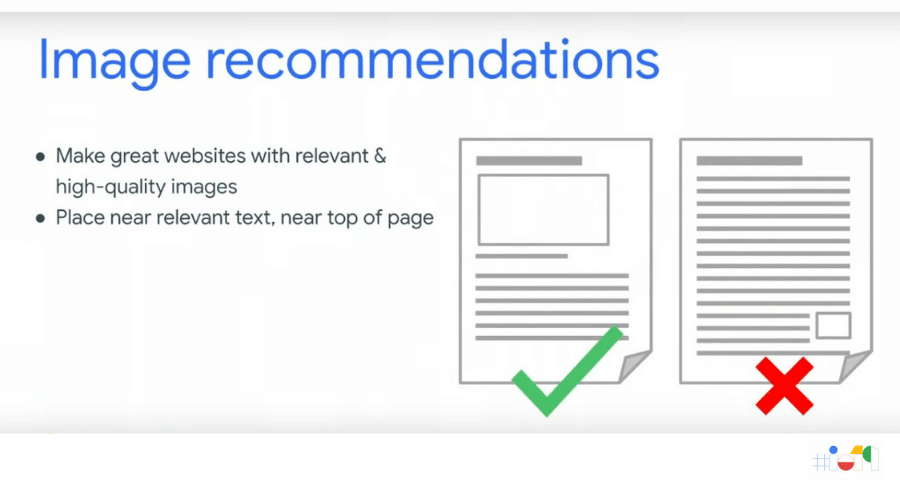
Image recommendations: context
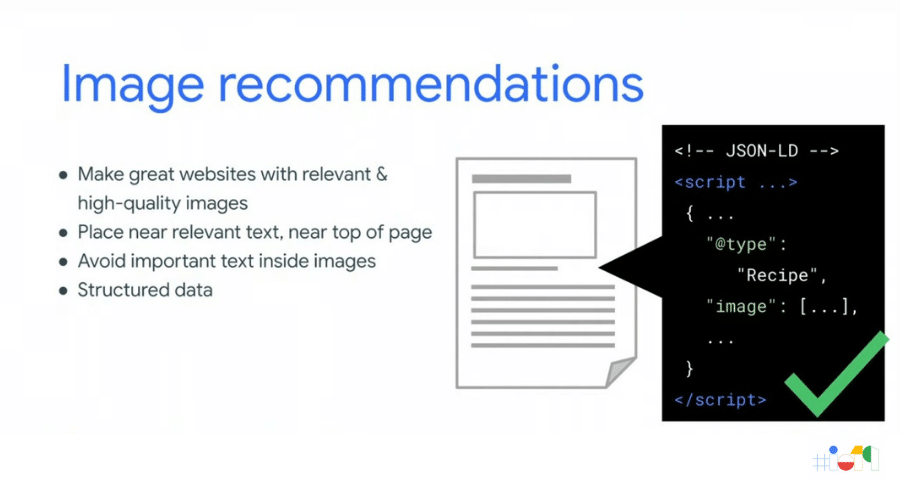
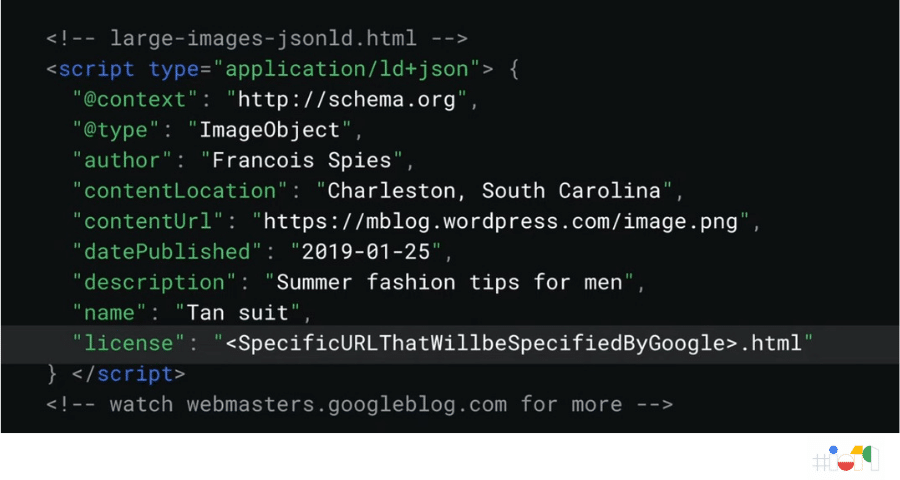
Image recommendations: structured data
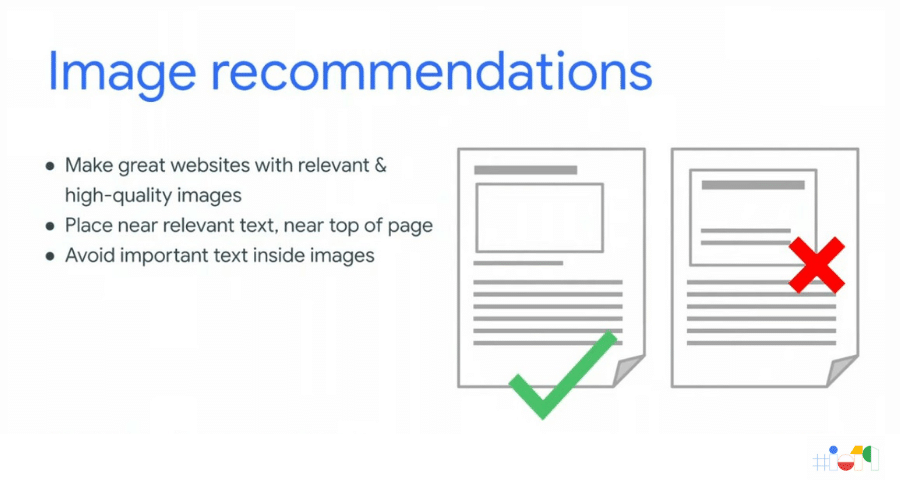
Image recommendations: text outside the image
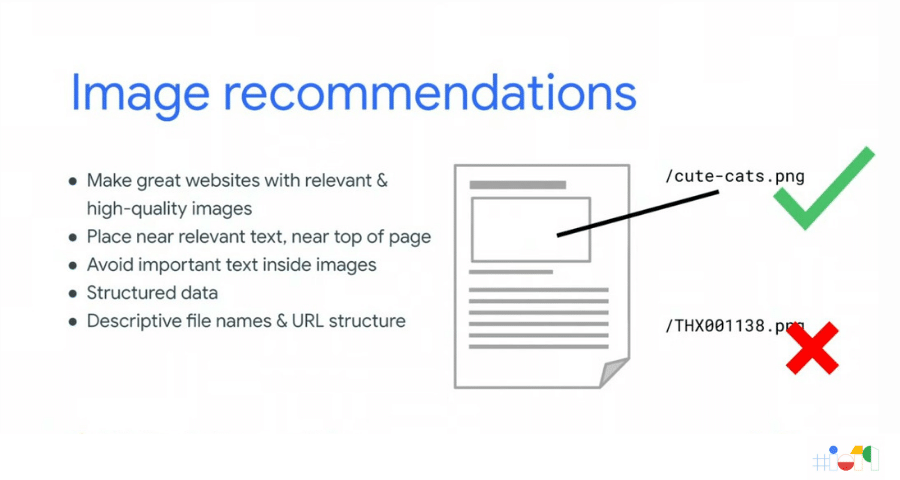
Image recommendations: context in the URL
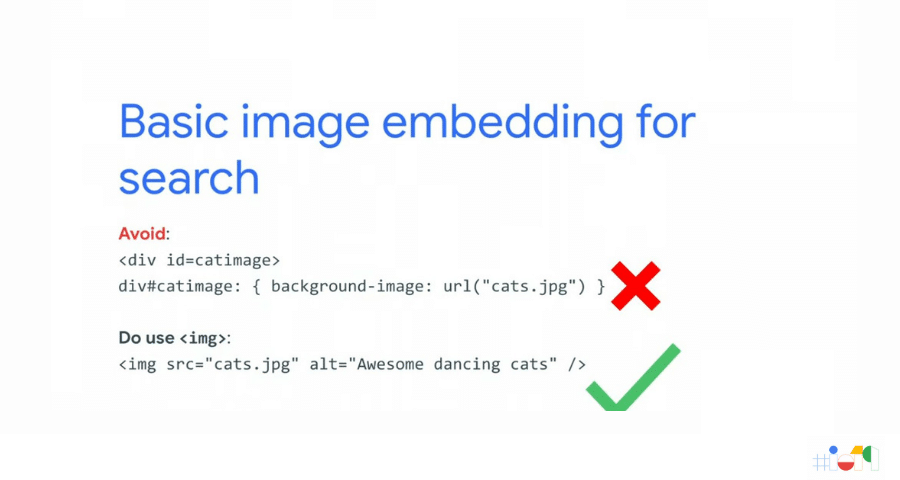
Image recommendations: correct image insertion
- Build great sites with high-quality images that are relevant;
- Place your images close to the text that is relevant to them. Use these images near the top of the page;
- Avoid placing important text inside images;
- Structure your data;
- Use descriptive file names and URLs;
- Use the semantically correct tags for inserting images.
You can find more tips here: bit.ly/google-images-guidelines
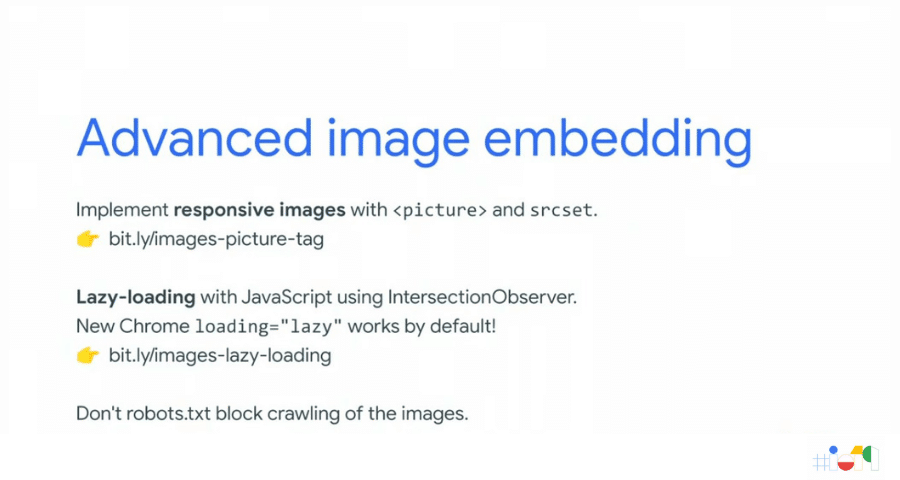
How do you use responsive images and lazy-loading without harming SEO?
For responsive images, simply use the <picture> tag together and declare the srcset. To use lazy-loading, which helps your site load faster (great for SEO) but without harming the semantics of your content, you need to use IntersctionObserver. Chrome now, by default, allows the use of the lazy tag.
What’s new in Image SEO
Em brid=”urn:enhancement-5d705a80-77f6-43a6-b4bf-c98a41b1fca3″ class=”textannotation”>eve Google will begin inviting developers to participate in a program that will show, in a differentiated way, high-quality images directly in the results of n id=”urn:enhancement-a76aca8a-4732-403c-9c6c-9385ed8e6c73″ class=”textannotation”>Search.
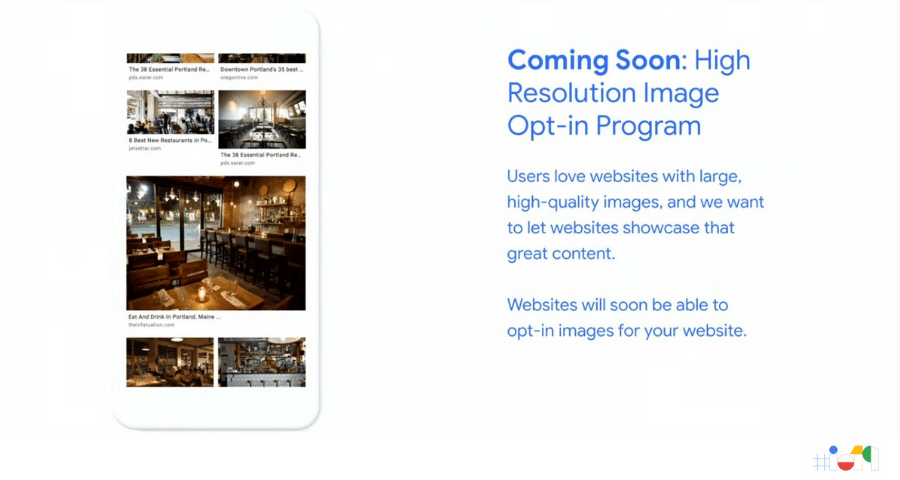
Research on the use of social networks and on the web has shown that quality images increase the time users stay on pages, the number of interactions, and the sharing of content.
Soon, if you use high-quality images on your site, you will be able to participate in this program.
Discover
Discover is a tool exclusive to the Google app, available on Android and iOS devices (it can be downloaded from the Apple store).
It was created to show news delivered individually to each person, based on their tastes, even trying to anticipate what they might want, delivering this content in the palm of their hand.
Your pages on Discover
Your content can appear in this tool. If you publish content and make a living from it, this source of traffic can be the difference between a sustainable business and your project’s fight for survival.
According to Google:
Google may present a summary of your page in a card shown to users in Discover, which is a scrolling list of topics available in navigation on mobile devices. Tapping a card will send the user to the source page of the Discover entry.
https://support.google.com/webmasters/answer/9046777


Discover also includes videos, sports scores, entertainment updates (such as movie releases), stock prices, information about events (such as nominees for an awards ceremony or the attractions of a music festival), and much more. Discover is a content hub for all your interests.
Discover content is ranked by algorithms according to what Google thinks would be most interesting for each user. Content ranking is done according to the level of match between the content of the articles and each user’s interests. Therefore, the only way to increase the ranking of your pages is to post content that may be interesting to users.
How do you make your content appear in Discover?
The two best ways to increase Discover content ranking and performance are (1) publishing content that may be interesting to users and (2) using high-quality images in the material. Showing Discover cards with large images instead of thumbnails leads to increases of 5% in click-through rate, 3% in time spent on pages, and 3% in user satisfaction.
To enable large images in your Discover results:
- Use large, high-quality images at least 1,200 pixels wide;
- Grant Google the necessary rights to display your high-quality images to users. You have two options: use AMP or fill out this form to indicate interest in the optional program.
AMP and Images
Having AMP pages and quality images will enable SWIPE TO NAVIGATE, a new feature that opens the AMP page directly from Search by images, with no delay.
With this new feature, your user will be able to access your content directly from image search just by swiping up.
Innovative Search results
Your next search could be in 3D!!
A new feature that has not yet been released by Google is 3D models, directly in the Search result.
In addition to having 3D models, to have this advanced content appear in image search, you will need to use markup, as shown in the image below:
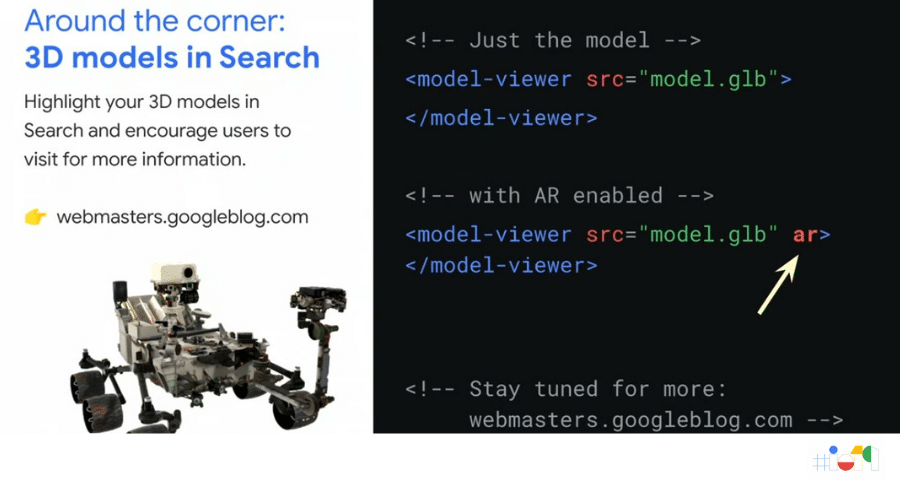
Using model-viewer, you can place the 3D model on your site and also enable Augmented Reality viewing with just two letters in the code: “ar“.
Imagine the possibilities for product demonstrations, which, with Augmented Reality, can be shown inserted into real environments using only a mobile phone camera. Your customers will be able to be sure that those sneakers, for example, perfectly match the clothes they just bought.
SEARCH CONSOLE: Google’s SEO toolbox

DUPLEX ON THE WEB!!
Last year at I/O, Google presented Duplex, a tool based on machine learning that makes calls and talks to real people to, for example, make a reservation at your favorite restaurant on your behalf.
This functionality was exclusive to mobile phones, still only in English. But now it is coming to the Web!
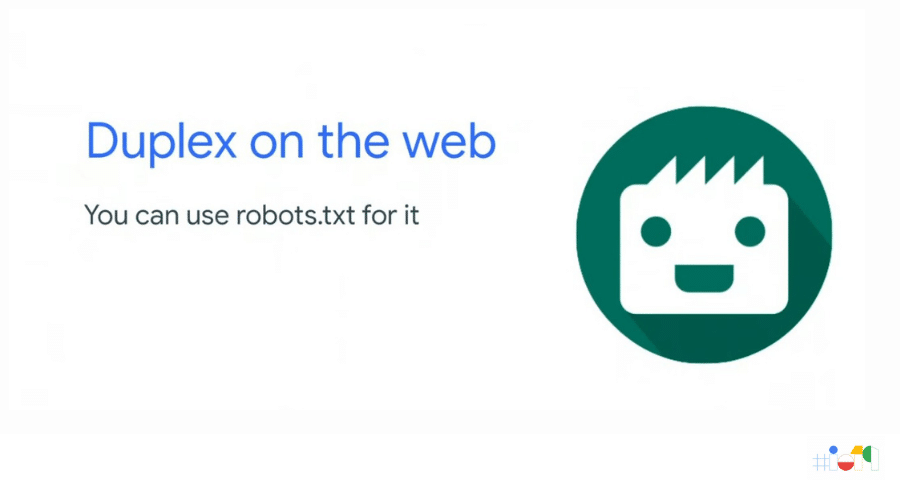
The expansion of Assistant on the Web with Google Duplex functionality was expected, but the speed of development is surprising. To enable the new feature, according to Google itself, all it takes is a modification to the robots.txt file.
We are still awaiting more information on this, but we know that soon, with Duplex on the web, your site will be able to help your visitors carry out complex actions with the help of machine learning.
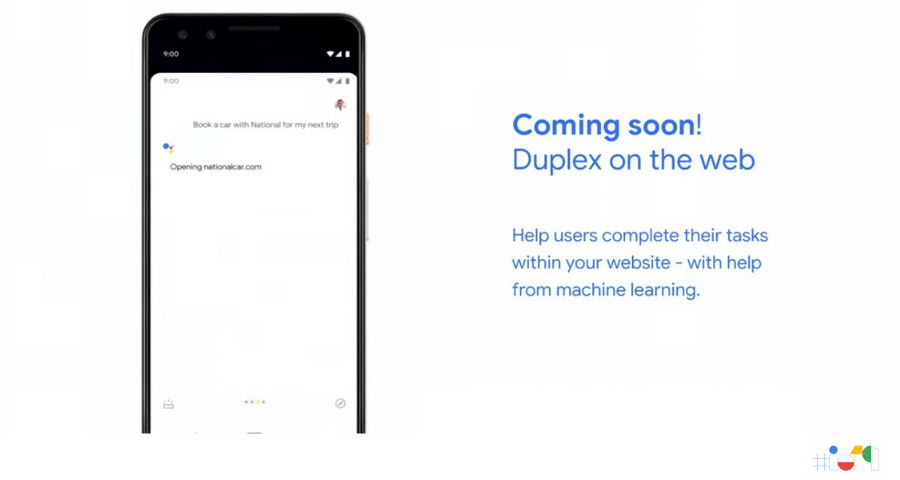
How do I prepare my site for Duplex?
There are 3 very simple steps to prepare your site for Duplex. Here they are:
- Verify your site with Search Console;
- Check Search Console for settings and analytics;
- Get ready for more soon!

For more information, visit: webmasters.googleblog.com
See the full event below: Google Search: State of the Union (Google I/O’19)
This post will be updated as some new features begin to be implemented.